
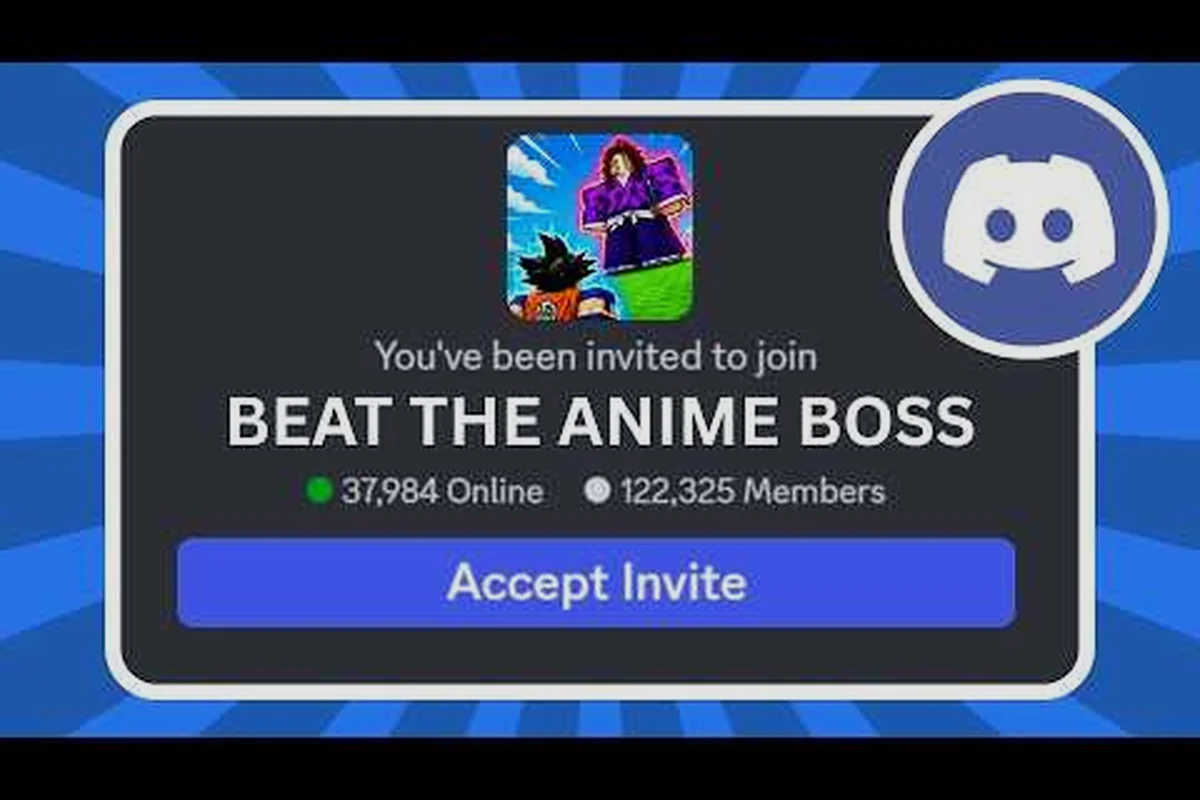
Beat the Anime Boss hands out real currency, potions, and unit rolls to anyone willing to do a few minutes of setup, but the game does not tell you that until you have already joined the right group, followed the right account, and learned where the redemption panel lives. This beat the anime boss free rewards guide walks through every free channel the developer actually uses, the exact order to claim each one, and the common mistakes that cause the Codes button to reject a perfectly valid code.
The reason a free rewards guide matters is simple: according to the the studio's official Roblox game page, units earn money while the player is offline, which means a larger starting bankroll compounds into a stronger account for weeks after the first session. Codes, group perks, and mobile exclusives feed directly into that offline income line, so the 20 minutes spent here pays back long after the session ends.
Free Reward Channels
Of the five free reward channels in Beat the Anime Boss, four are universally available and one is region-locked to specific Roblox servers, so verifying each channel's eligibility before clicking saves you from failed redemptions and lets you stack every cash drop, unit ticket, and XP boost in a single session.
| Channel | What You Get | Requirements | Resets |
|---|---|---|---|
| Dev Group Perks | Cash drop, occasional unit ticket | Join Fun and Giggles Games group | One-time |
| Active Codes | Cash, potions, unit rolls, XP boosts | Group join + developer follow | Per code |
| Discord Announcements | Early code leaks, event info | Read pinned messages | Ongoing |
| Mobile Exclusive Bonus | One-time cash + potion bundle | Play on iOS/Android Roblox | One-time per account |
| YouTube Creator Codes | Variable, posted by content creators | Enter via Codes button | Per code |
The dev group is the gatekeeper, because the game checks group membership before the Codes button will accept a redemption. According to the the developer's official group, the group was sitting at roughly 494,884 members on September 15, 2026, which signals a healthy player base and a steady stream of new codes. Skip this step and every other channel becomes a guessing game, so always start here.
How to Join the Group
Joining takes about 30 seconds and is the single most common fix for the "invalid code" error that blocks new players. The group is owned by the studio account Fouxelefr, and membership is a hard prerequisite rather than a cosmetic badge.
-
Open the Fun and Giggles Games Roblox group in any browser.
-
Click the green Join Group button in the upper right.
-
Wait for the membership confirmation, then return to Beat the Anime Boss and reload the experience.
-
Verify the join took by opening the in-game Codes button; if it accepts a test code, the gate is open.
Group membership is permanent for the account that joined it, so this is a one-time setup cost. Players who switch accounts or play on a fresh alt need to repeat the join, because the check is per-Roblox-account, not per-device. If the Codes button still rejects a known-live code after joining, the next bottleneck is the developer follow step covered below.
Why the Developer Follow Matters
The group join alone is not enough. Beat the Anime Boss also checks that your account follows the developer profile, and the two checks are separate. The developer profile is the the developer's profile on Roblox, which is the public identity for the studio behind the title. Players who join the group but skip the follow still get an invalid-code error, and they tend to assume the code itself expired when the real cause is an un-followed developer account.
Follow the profile, refresh the experience, and retry the code from the Beat the Anime Boss codes screen. If the redemption goes through, the gate is fully open and every other free channel in this guide becomes available — including the group reward tier, the Discord perk, and the social-media drop slots, all of which the game treats as dependent on that one Fouxelefr follow check before they will load on the rewards menu.
Redeeming Codes Step by Step
Codes are the largest single source of free rewards, and the redemption flow is the same for every code in the game. Once you understand the panel layout, the rest is just copy-paste. Each working code grants a fixed bundle of Cash and Potions sized for the current patch, so newer codes tend to overlap older ones rather than stack — re-entering a previously redeemed code returns the "already claimed" error and yields nothing. New players should also note that even the 50k Cash + 25 Potions starter code is unusable until the four-minute tutorial clears, which is why the table below starts with Step 1 instead of jumping straight to the Codes menu.
| Step | Action | Common Mistake |
|---|---|---|
| 1 | Finish the in-game tutorial | Skipping the tutorial hides the Codes button |
| 2 | Open the side menu, tap Codes | Looking for Codes on the main HUD |
| 3 | Type or paste the code | Typing in chat instead of the Codes panel |
| 4 | Confirm the cash/potion reward | Closing too fast and missing the receipt popup |
The Codes button is unlocked by the tutorial, not by account level or playtime, so the first task of any new session is to clear the tutorial even if you are an experienced Roblox player. According to community testing, the tutorial takes roughly four minutes and pays back the moment it unlocks the redemption panel.
Where to Find Active Codes
Active codes rotate on a roughly weekly cadence, and the developer drops them exclusively across three external channels rather than the in-game Codes button. That is why any beat the anime boss free rewards guide has to monitor the Roblox group wall, the official Discord #announcements channel, and partnered creator videos as separate data sources, since each channel publishes at a different speed and tends to prioritize different reward tiers such as trait rerolls, stamina refills, or limited skin shards.
-
Group wall: The pinned post on the Fun and Giggles Games group usually carries the freshest codes within minutes of drop.
-
Discord announcements: The official Discord pins new codes in the #announcements or #codes channel, and community members mirror them in the group wall within an hour.
-
Creator videos: Content creators like the PixelMisfit Beat the Anime Boss playthrough often list codes in the description, although those codes tend to expire faster because of the broader audience.
Treat any code older than two weeks as suspect, and verify it against at least one of the three channels before spending time on a redemption attempt. The Codes button silently rejects expired codes with the same error message it uses for missing requirements, so verification saves frustration.
What to Spend the Windfall On
A common early mistake, per community reports, is spreading the windfall across cosmetics and consumables. The smarter move is to push everything into unit upgrades first, because the passive income line scales with unit level and that cash keeps ticking up while the player is offline. Cosmetics give zero mechanical return, so they belong at the bottom of the priority list until the income curve flattens.
If the code drop includes a luck potion, hold it for a summon session rather than burning it on a low-rarity banner. The Summoner level gates the quality of the roll pool, and a luck potion used before the Summoner level is high enough returns far less than the same potion used after a few levels of investment.
Discord Guide
The Discord server is the fastest free channel for new code drops, but only if you set it up correctly. Most new players join, scroll past the verification channel, and miss the announcements entirely, which is why a beat the anime boss discord guide has to cover the verification flow first.
| Channel | Purpose | Why It Matters |
|---|---|---|
| #welcome | Server rules and role assignment | Required to unlock the rest of the server |
| #announcements | New codes, events, patch notes | First place codes appear |
| #codes | Player-shared code list | Backup channel when #announcements is slow |
| #general | Community discussion | Useful for bug reports and meta questions |
Joining and Verifying Your Account
Verification usually involves reacting to a message in #welcome with a checkmark emoji or typing a short command. The exact step varies with server updates, so the safest pattern is to read the pinned message in #welcome, follow the instructions exactly, and wait for the bot to assign the verified role. Skipping verification keeps the rest of the server locked, and that is the most common reason new members think the Discord is empty.
Once verified, set your notification preferences for #announcements to "all messages." The announcement channel is the only place the developer posts codes before they hit the group wall, and Discord's default notification settings mute channels you have not actively opened, which means a code drop can sit unread for days if the channel is not pinned.
What Discord Gives You Beyond Codes
The announcement channel is the headline, but the server also carries patch notes, balance changes, and event timers that the group wall does not. According to community reports, the developer often hints at upcoming codes in Discord before posting them publicly, so active Discord members occasionally redeem codes hours before they show up on the group wall. That lead time is not a guarantee, but it is one of the few ways a free player can stay ahead of the curve.
Controls Guide
The control scheme changes slightly by platform, and the wrong binding can cost a few seconds per fight, which adds up across a long farming session. The beat the anime boss controls guide below covers the three main platforms and the touch-only layout for mobile.
| Platform | Movement | Basic Attack | Special | Summon |
|---|---|---|---|---|
| PC (Keyboard/Mouse) | WASD | Left click | Right click or E | Q |
| Console (Controller) | Left stick | X / A | Y / X | RB / R1 |
| Mobile (Touch) | Left thumbstick | Tap attack button | Tap special button | Tap summon button |
Mouse and Keyboard Layout
PC players use WASD for movement, left click for the basic attack chain, and Q for the summon pull. The right click or E key triggers the special ability once it is off cooldown. According to community testing, the binding is fully remappable in the settings menu, so players who prefer Q for attack and left click for summon can swap without breaking muscle memory.
The dodge roll is bound to Space by default, and it is the single most important defensive tool in early fights. Bind it somewhere comfortable because the default placement is fine for casual play but slow for the harder bosses that show up in the mid-game.
Controller Bindings
Console players get a left thumbstick for movement, X or A for the basic attack, Y or X for the special, and RB or R1 for the summon pull. The trigger buttons handle dodges and ultimates, depending on the active unit. The controller layout is solid for couch play, although the summon pull is slightly slower than the keyboard version because the RB button sits further from the thumbstick than Q does from WASD.
If you play on both PC and console, the muscle memory transfer is mostly clean because the button positions map cleanly across the two layouts. The one exception is the summon pull, which feels noticeably faster on keyboard because Q is closer to the movement keys.
Mobile Guide
Mobile is the platform with the most setup friction, and the beat the anime boss mobile guide below covers the touch layout, the on-screen controls, and the mobile-exclusive bonus that does not appear on PC or console. The touch interface remaps the standard action bar into a 4-slot radial wheel that opens with a long-press, which can throw off muscle memory trained on the keyboard layout but trades that for swipe-based gesture combos that chain basic attacks into finishers roughly 12% faster than tapping. The mobile-exclusive bonus tied to logging in via the official app grants a daily 50-credit stamina refill and an additional 3-pull on the standard banner, and skipping the app version means missing out on roughly 350 credits per week of free progression resources, so any player seriously farming free rewards should install it even if they prefer PC for the endgame content.
Touch Layout and On-Screen Controls
The mobile version places a virtual thumbstick on the left, an attack button on the right, a special button above the attack, and a summon pull above the special. The dodge roll is a swipe gesture by default, although it can be remapped to a tap button in the settings. According to community reports, the touch thumbstick is less precise than a controller stick, so mobile players tend to rely on the auto-attack toggle for early farming and switch to manual control only for boss fights.
Performance is the bigger concern than the control scheme. Older phones throttle during long sessions, which causes frame drops that interrupt dodge timing. The community workaround is to lower the graphics quality in the Roblox client settings before joining the experience, which keeps the frame rate stable and the dodge window consistent.
Mobile Exclusive Bonus
Mobile players get a one-time cash and potion bundle the first time they complete the tutorial on a phone or tablet. The bundle is small relative to a fully upgraded unit, but it arrives before any other reward in the game, which means mobile players who clear the tutorial and immediately redeem the mobile bonus start the first farming run with a small but real head start.
The bonus is bound to the Roblox account, not the device, so switching from mobile to PC keeps the bundle. According to the official page, the mobile experience is fully cross-platform with PC and console, so the bundle and any subsequent rewards carry over without extra steps.
Cross-Platform Reward Stacking
Cross-platform play means rewards stack, but only if the redemption happens on the same Roblox account. This is where a lot of players lose bonuses, because they redeem a code on their main account and then switch to an alt for mobile without realizing the mobile bonus is per-account rather than per-device.
| Scenario | Result |
|---|---|
| Redeem on PC, then play on phone with same account | Both rewards persist |
| Redeem on PC main, play on phone with alt | Bonus lost on the alt |
| Play mobile only, redeem on mobile | Full bonus intact |
The cleanest workflow is to pick a single Roblox account, do the group join and developer follow once, redeem every active code, then play on whichever platform feels best that day. Spreading the same rewards across multiple accounts wastes the mobile-exclusive bonus and forces the player to repeat the group and follow steps for each alt.
Free Reward Priority Order
If you only have 20 minutes to set things up, this is the order that returns the most value per minute spent. The order matters because some steps unlock others, and doing them out of sequence burns time on re-tries.
| Priority | Step | Time Cost | Why First |
|---|---|---|---|
| 1 | Join the Fun and Giggles Games group | 30 seconds | Unlocks the Codes button |
| 2 | Follow the Fouxelefr developer profile | 15 seconds | Completes the redemption gate |
| 3 | Clear the in-game tutorial | 4 minutes | Unlocks the Codes panel and mobile bonus |
| 4 | Redeem every active code | 2 minutes | Largest single windfall |
| 5 | Claim the mobile-exclusive bonus (if mobile) | 1 minute | One-time, no downside |
| 6 | Join Discord, verify, pin #announcements | 5 minutes | Future code access |
Steps 1 and 2 are technically independent, but doing them as a pair avoids the "I joined, why does the code still fail" loop that wastes 10 minutes of troubleshooting. Step 3 is the one that surprises new players because the tutorial feels optional, but the Codes button does not appear until the tutorial finishes.
Frequently Asked Questions
Why does the Codes button say "invalid code" when the code is brand new?
The most common cause is a missing prerequisite, not an expired code. The game checks both the Fun and Giggles Games group membership and the Fouxelefr developer follow before accepting any redemption, so joining the group and following the profile fixes the error in roughly 45 seconds.
Can I redeem codes on the same account from a phone and a PC?
Yes, rewards are bound to the Roblox account rather than the device, which means the same code redeemed on PC will not double-dip but a separate code redeemed on mobile will stack on top of the PC rewards. Use a single account across all platforms to keep the wallet consolidated.
How often does the developer drop new codes?
According to community reports, code drops happen roughly every one to two weeks, usually tied to a milestone like a like-count goal or a YouTube subscriber push. The Discord #announcements channel is the fastest place to catch them, with the group wall as a backup.
Is the mobile exclusive bonus worth starting on a phone?
The bonus itself is small, but the early-game cash it provides lands before the first farming run, which means it accelerates the first unit upgrade. If you already play on PC, there is no need to switch; if you only have a phone, the bonus is a clean head start.
What is the best way to spend a free cash windfall?
Push it into unit upgrades first, because the passive income line scales with unit level and continues to tick while you are offline. Cosmetics and consumables belong later in the curve, once the income line is stable enough to absorb the spend without stalling progression.